Smarter search results on G2.com
Timeline
Summer 2025
Mentored by
Allison Horrell, Aryn Silverberg
Overview
I owned G2's core search experience, delivering a full search page redesign and shipping 3 MVP changes during my internship that drove an 8.5% lift in user conversion on search pages. My work defined the new product card design pattern and AI interaction patterns now used across the product.
Context
G2 is a software marketplace platform that connects sellers with buyer insights.
Buyers discover and compare products, while sellers pay for market insights and buyer-intent data. However, the user engagement that drives buyer-intent data was declining: 48% of buyers searching on G2 left without clicking a single result.
The problem
G2 has the answers, but search doesn’t surface them, so buyers leave.
I started out by evaluating the existing experience, looking at competitors, and, most importantly, hearing from real software buyers through a preliminary user test I conducted to truly understand the buyer perspective.
The search page was still optimized for SEO, not buyer needs, and tacking on AI wouldn’t fix it
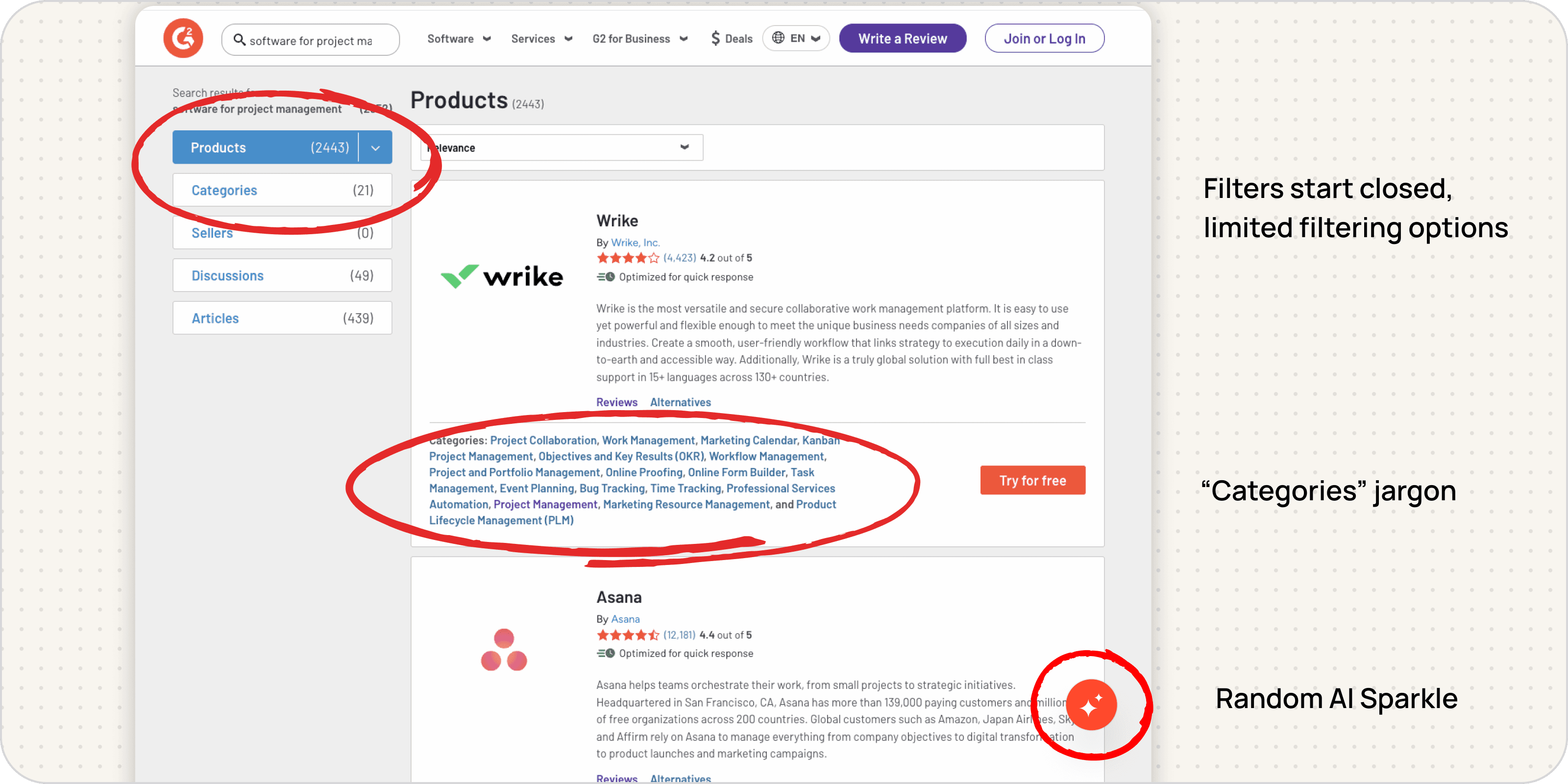
The buyer side of G2 had long been neglected: the legacy search page had hidden and limited filters, massive product cards filled with jargon, and an AI sparkle that provided no reason to click.
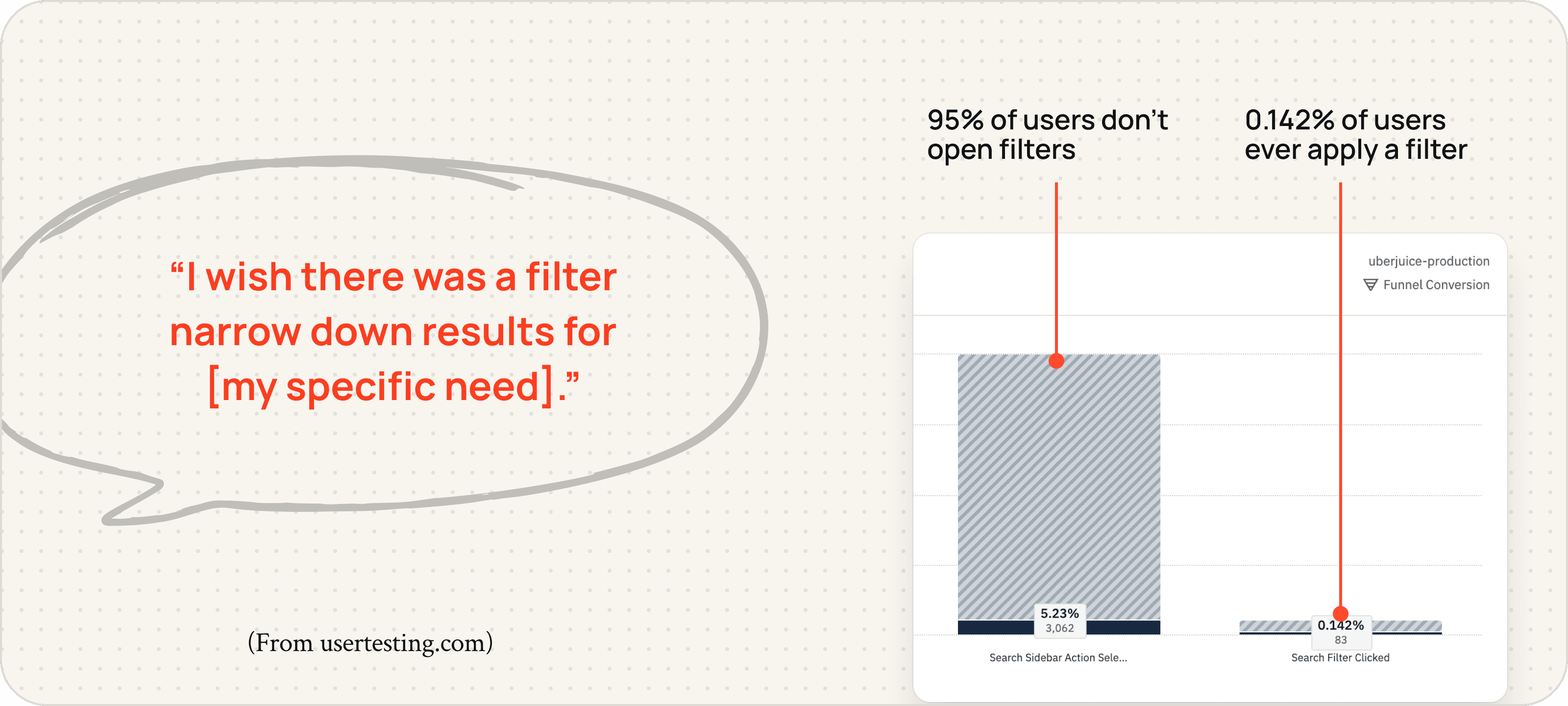
Software buyers search for specific needs, but filters on G2 don’t meet them there.
In my usability testing with six buyer-persona participants, everyone described specific requirements and prioritized shortlisting results immediately, but user analytics show that the current filters fall short.
I led an HMW brainstorm with my team to explore the possibilities and limitations of G2’s search data with the people who know it best.
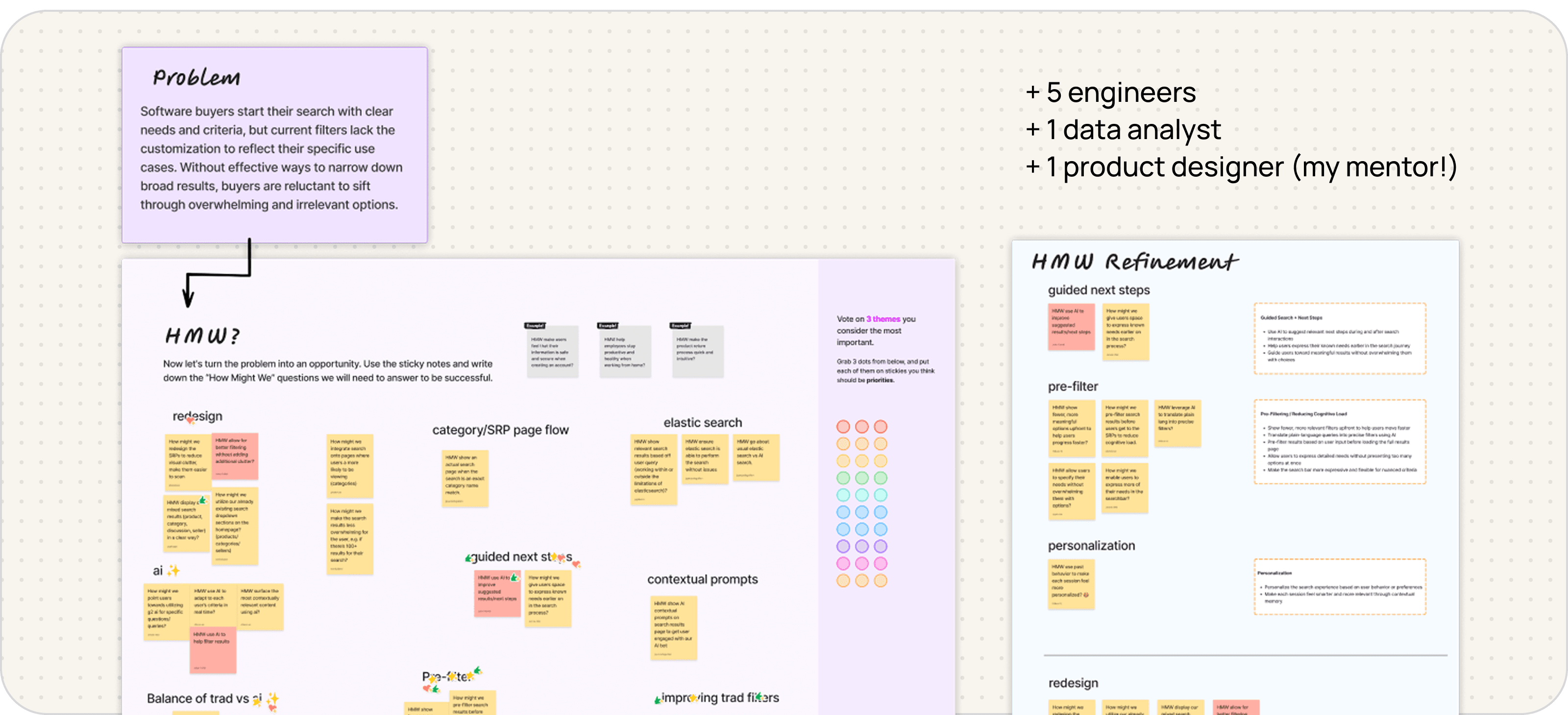
I explored design interventions for the opportunities we identified:
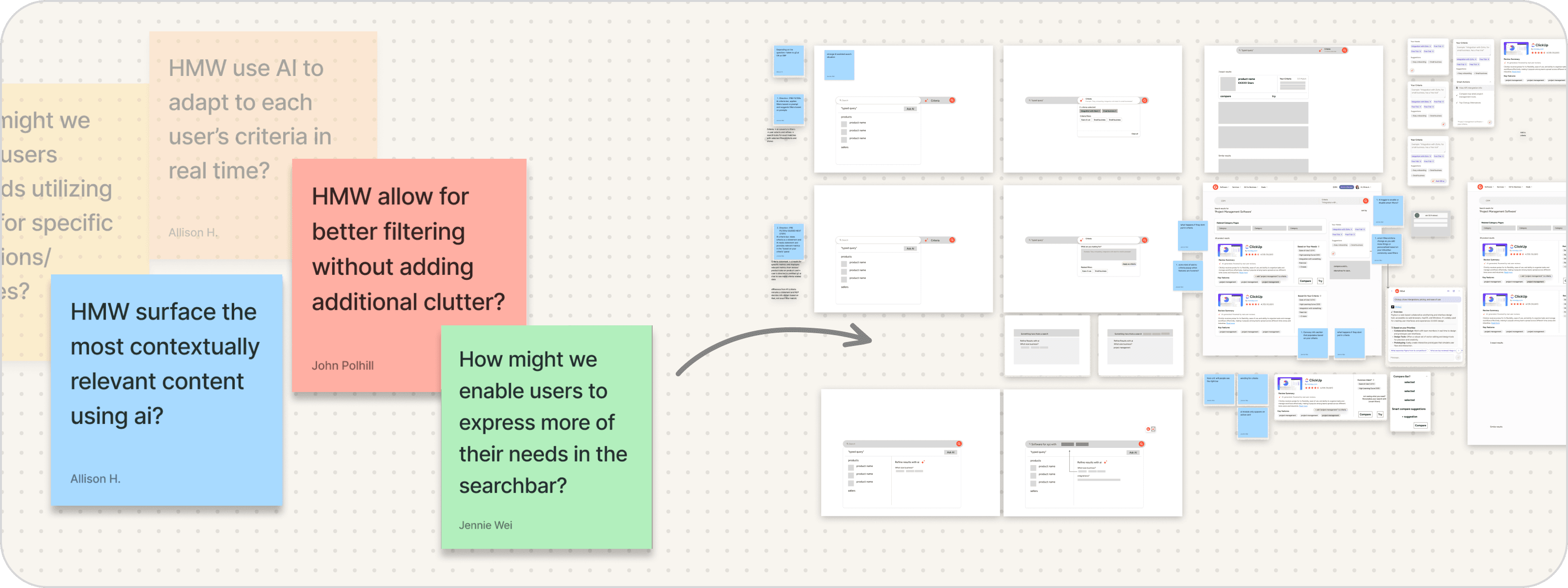
Initial Design
How far can we personalize a search results page to each buyer’s needs?
After exploring different intervention points from the search bar to the category pages, I decided to focus on the search results page. I designed a smarter, personalized search experience built on G2’s existing data infrastructure, pointing users to G2 AI only when helpful.
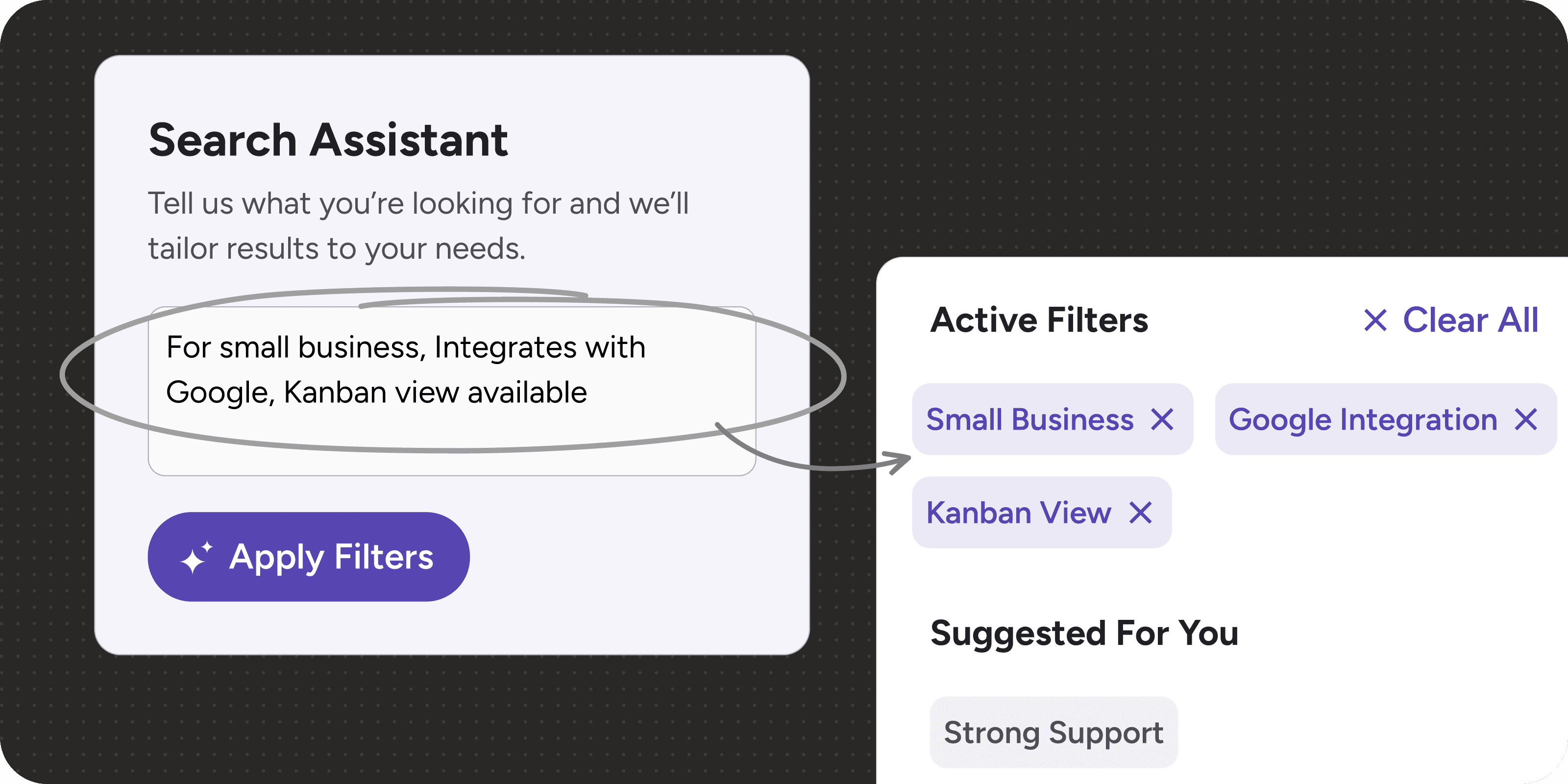
1. Buyers describe their needs; G2 surfaces the right filters
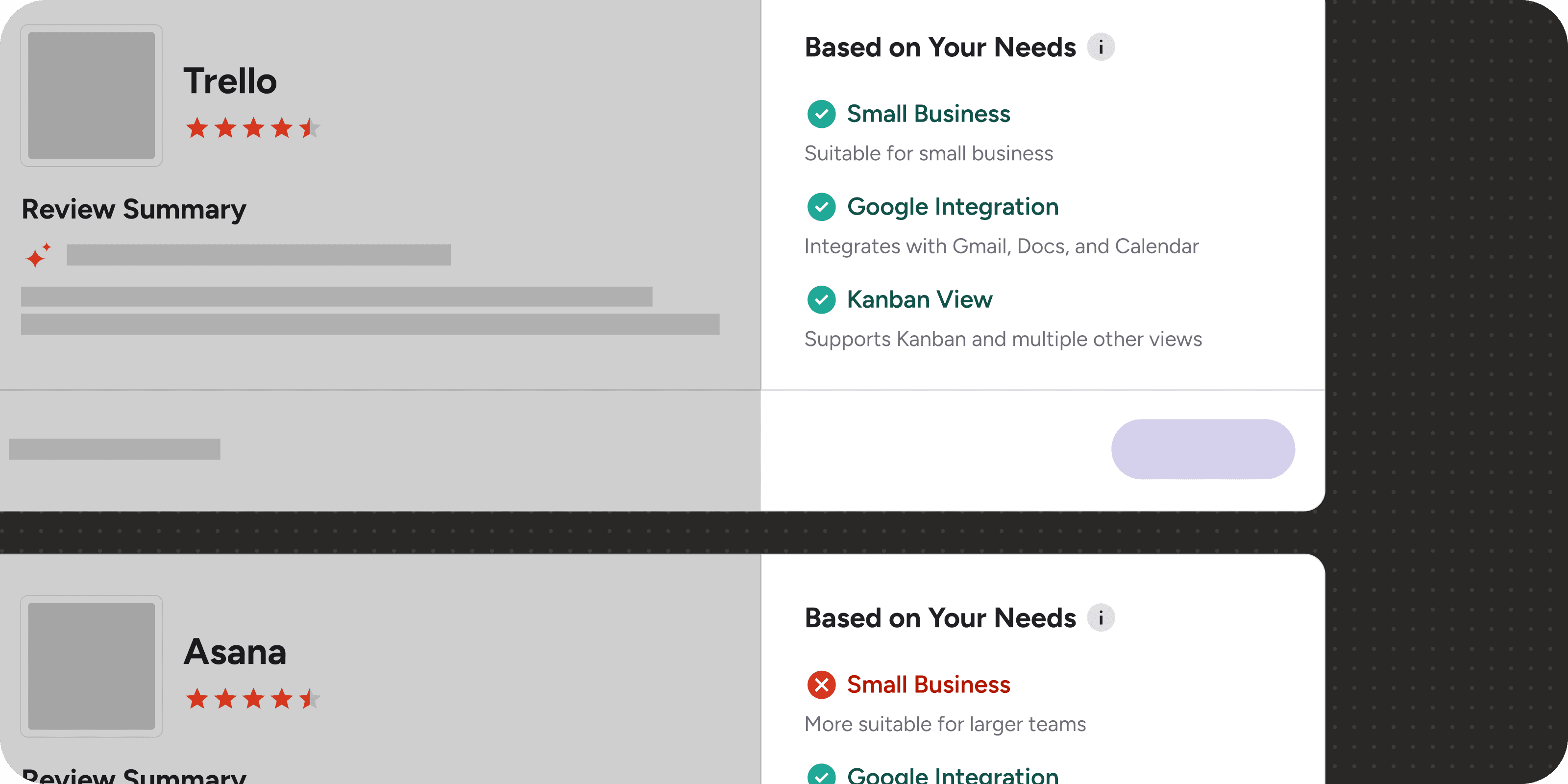
2. Showing the right information, in the right amount, on product result cards
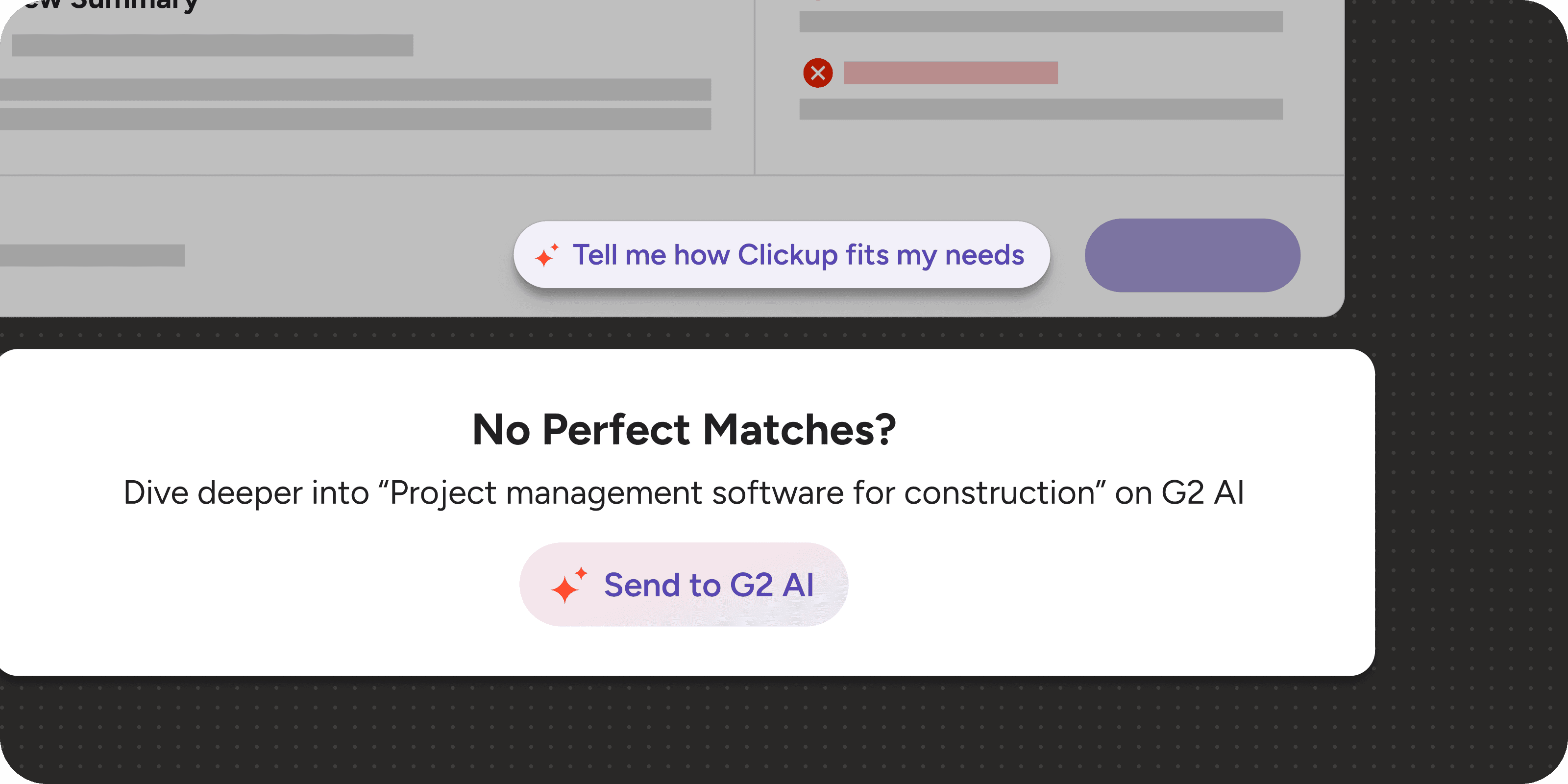
3. G2 AI entry points appear when buyers would actually want them—not all the time
Usability testing
Testing prompt-to-filter with real software buyers
I built a high-fidelity prototype in Figma Make with real text input and dynamic results to test the prompt-to-filter flow with software buyers. A static prototype couldn’t show whether buyers would understand what happened after entering their needs.
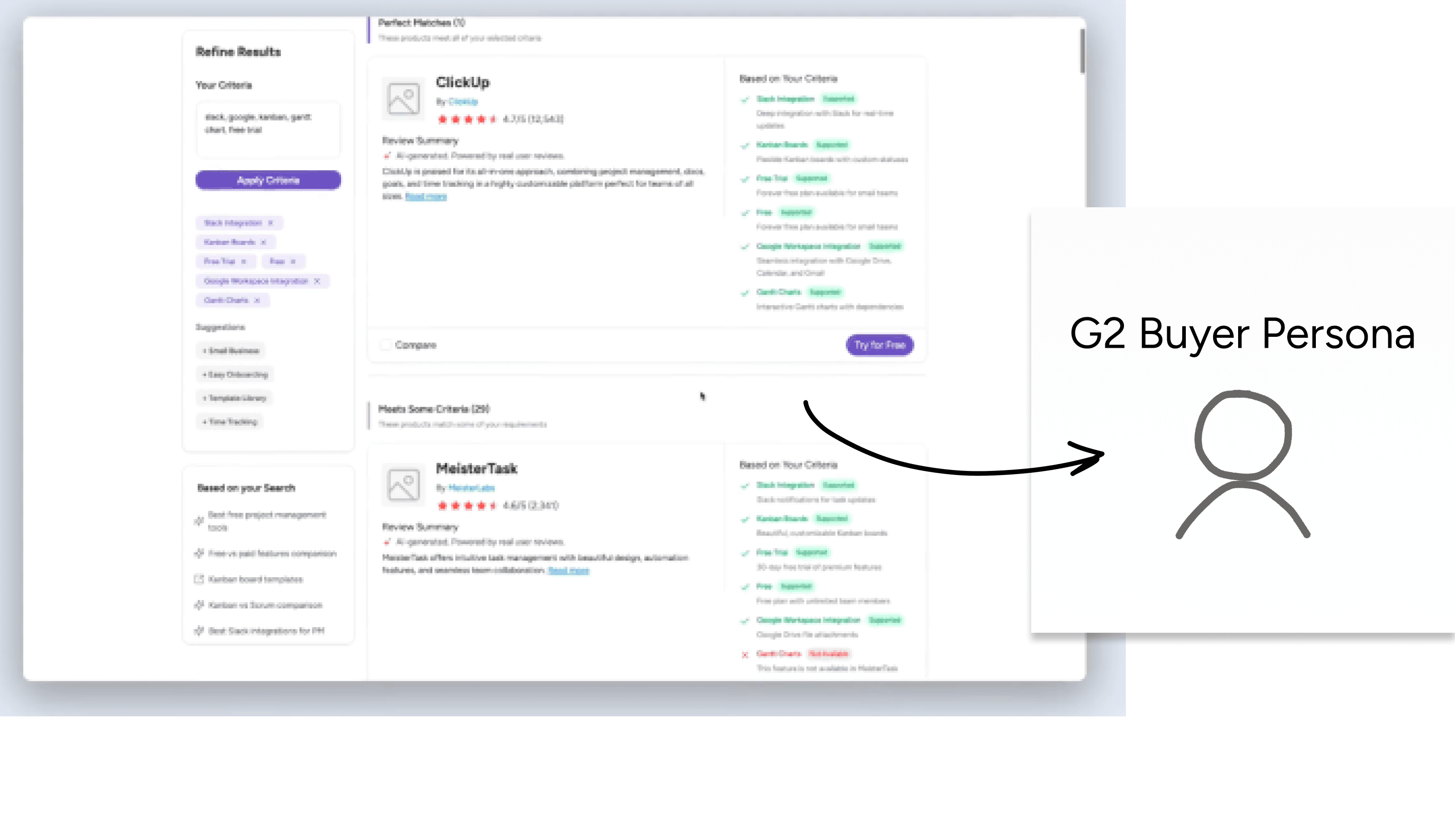
Buyers understood the matches and found the personalized details useful.
Results & Design Changes
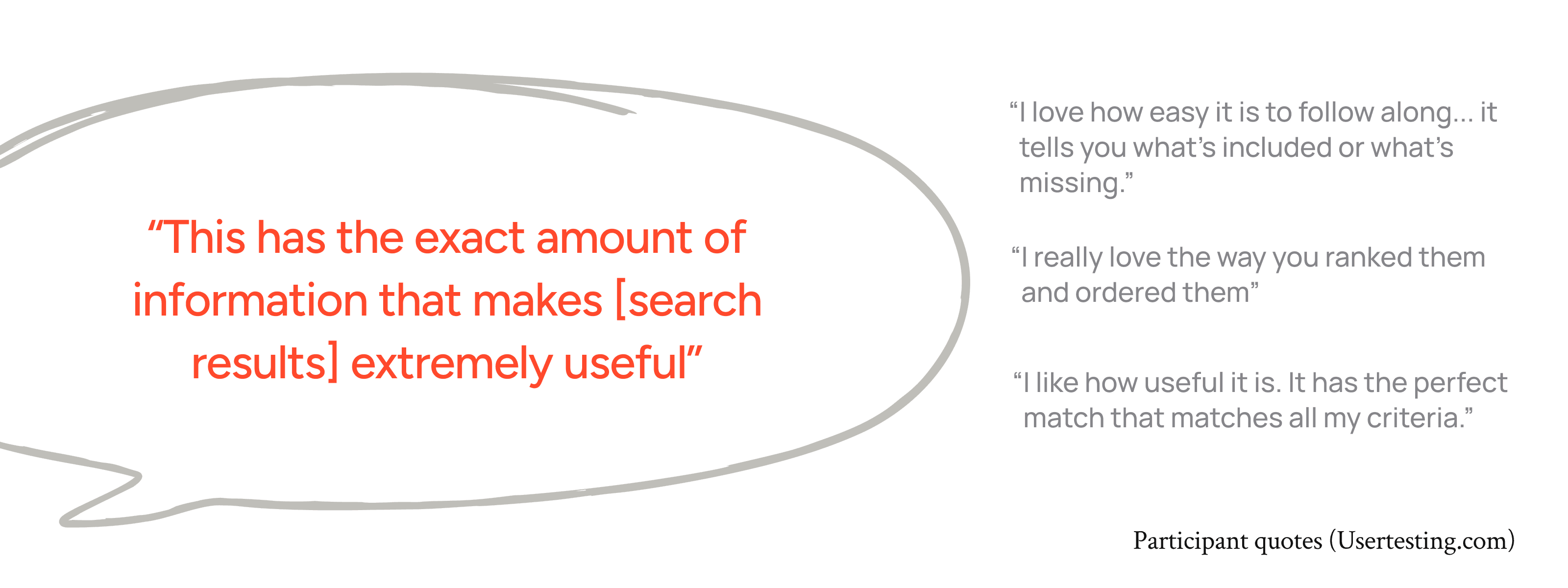
Buyers valued the results, but some expected a conversation.
Buyers found the prompt-to-filter flow intuitive, understood the perfect and partial matches, and valued the level of detail on each product card. But two of five testers expected a conversational back-and-forth: they typed their needs and waited for a reply.
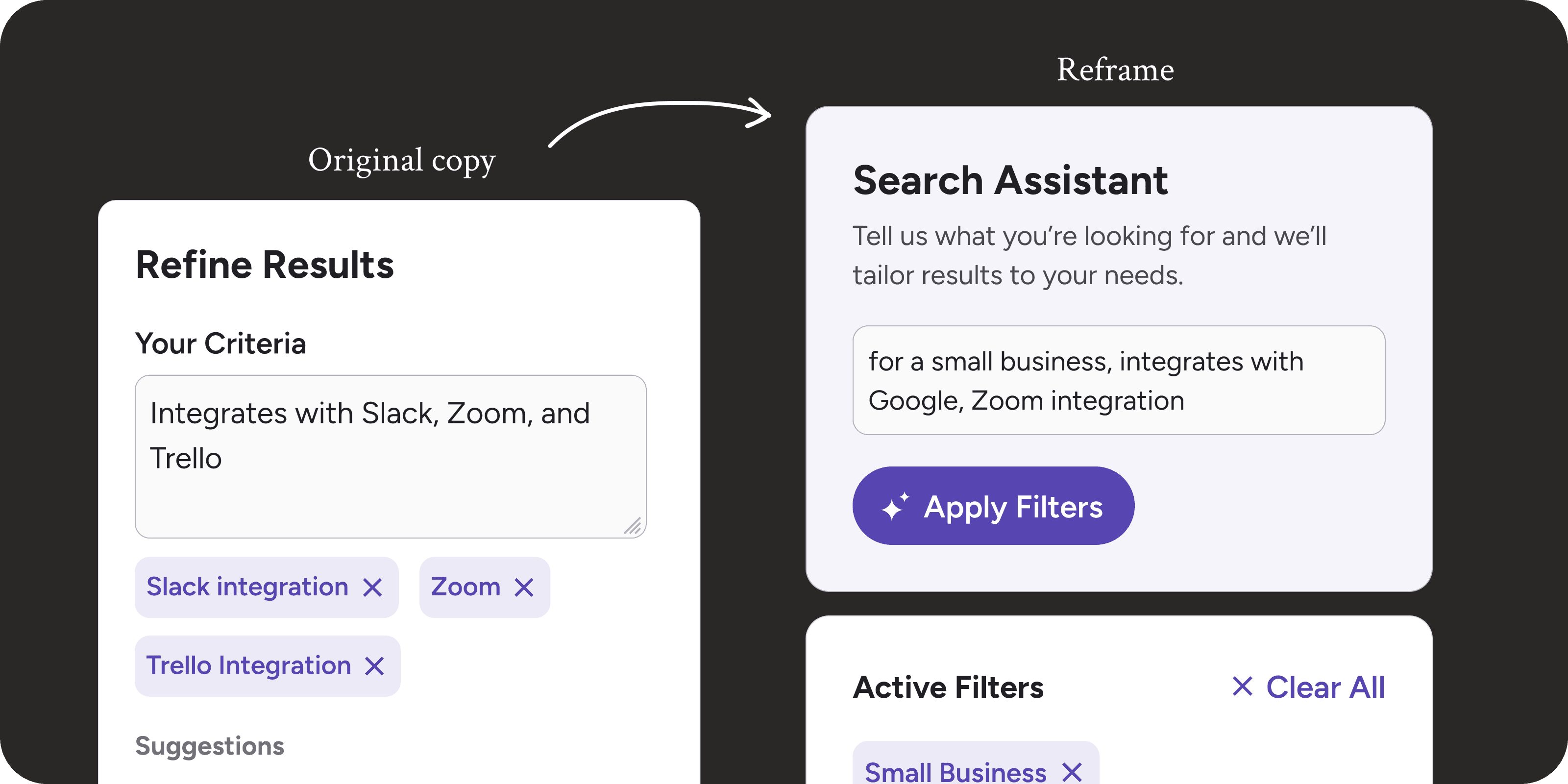
1. Setting clearer expectations for prompt-to-filter
I reframed the input as a Search Assistant and added helper text: “Tell us what you’re looking for and we’ll tailor results to your needs.” This made the purpose explicit before buyers typed: their input would tailor the results.
Final redesign
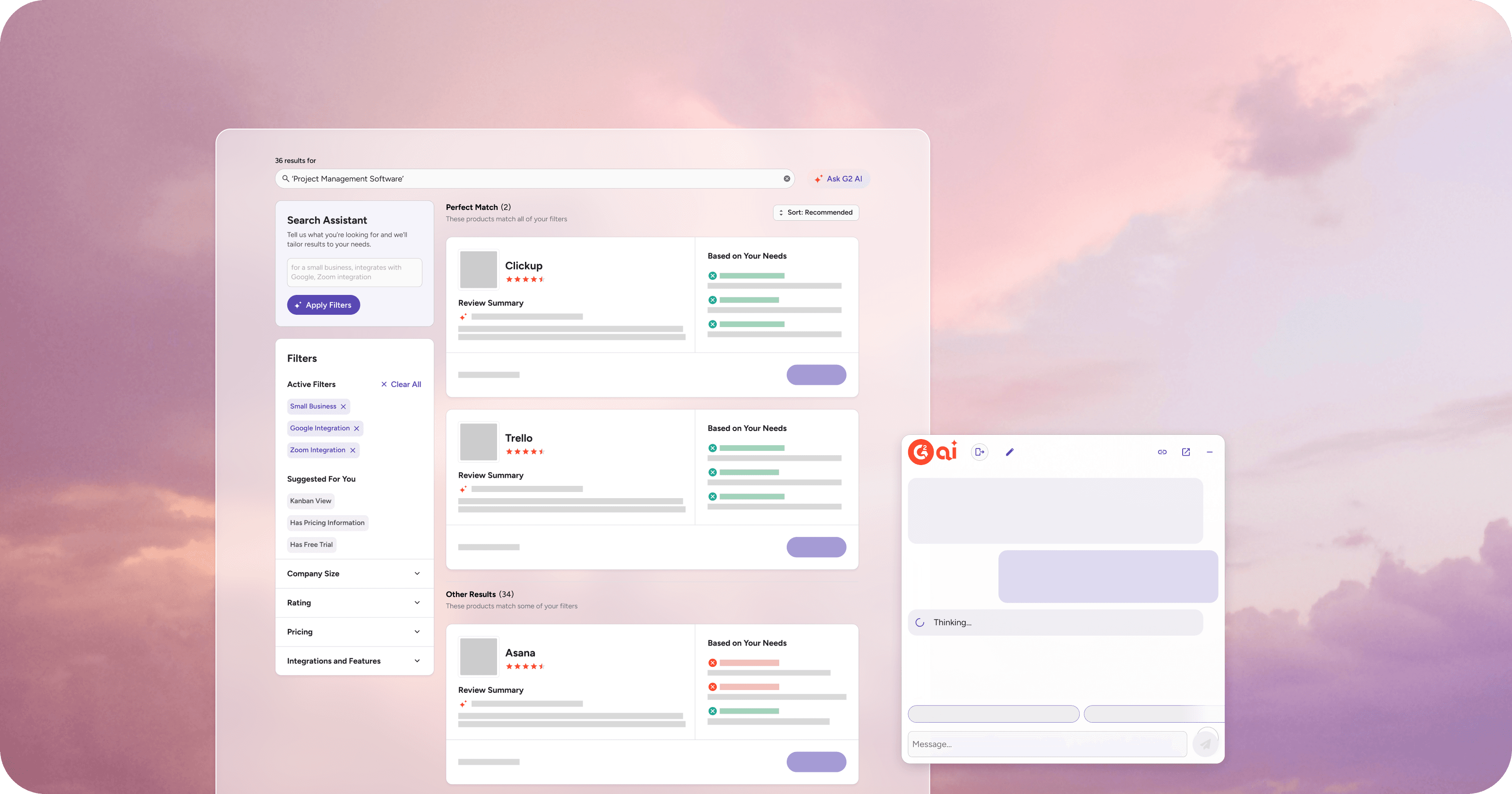
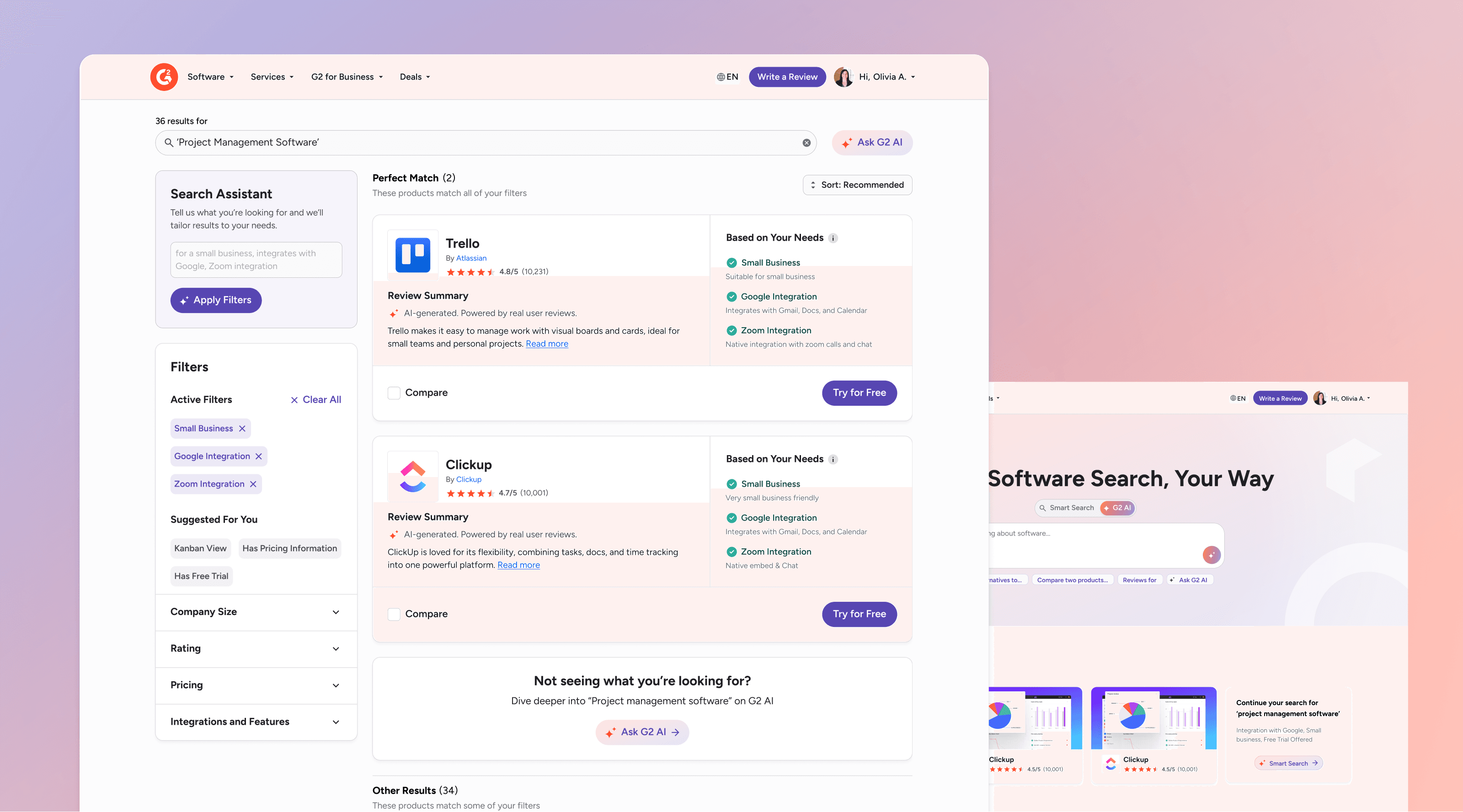
A smarter search experience that surfaces the right data for a buyer’s specific needs
My full redesign refined my tested prompt-to-filter experience and reintroduced traditional filters to keep familiarity in the experience.
Shipping MVP features
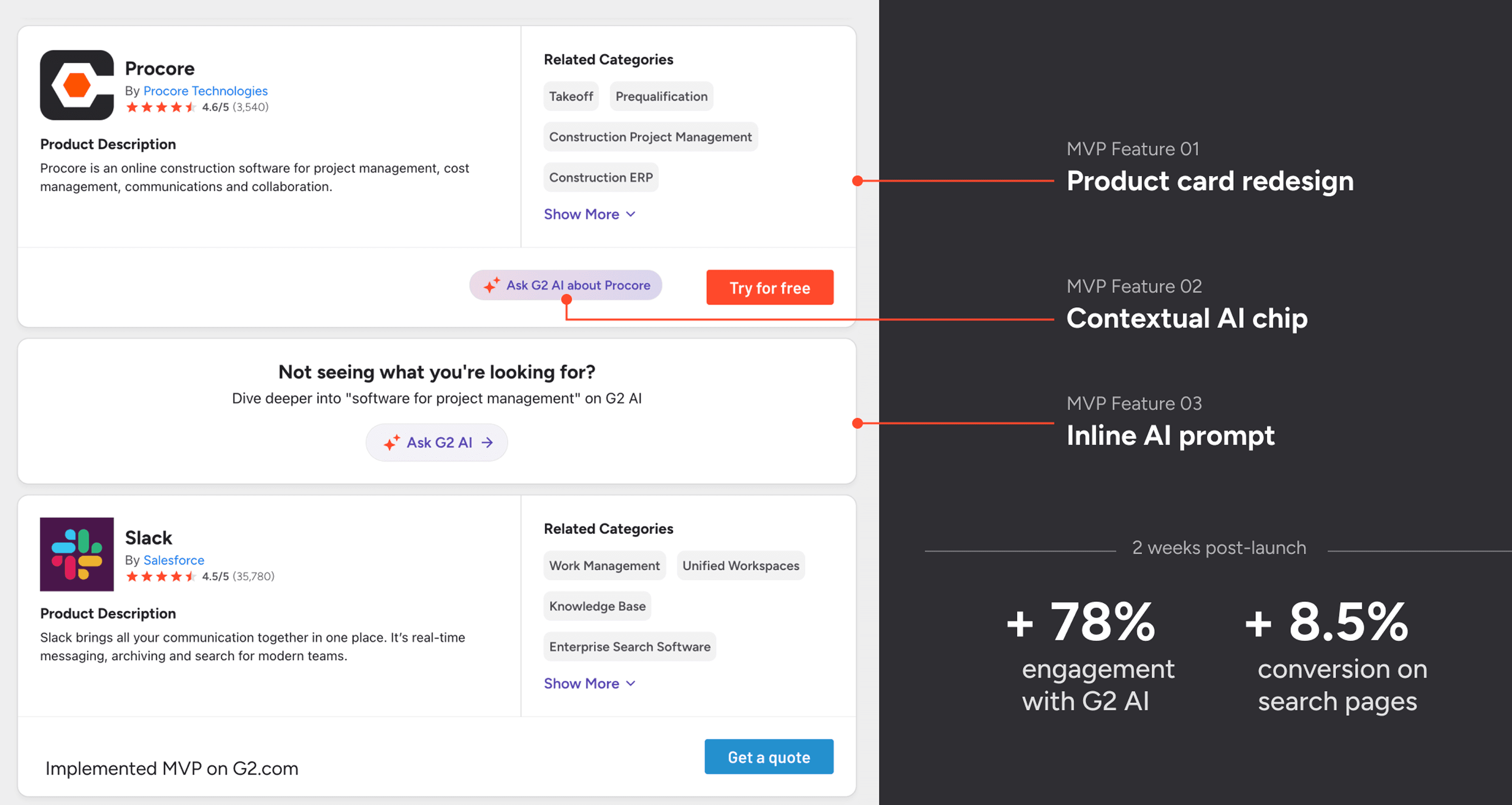
I shipped 3 MVP changes that increased G2 AI usage & page conversion.
Even though testing was positive, will real users resonate?
I worked with my team engineers to figure out how to break my full redesign into MVP tickets that would ship easily in the existing system but also begin to validate how real users would react to G2 AI in search.